Guides
What Is AI Video Search? How It Works in Practice
AI video search lets teams query recorded footage by scenes, speech and on-screen text. Here is how indexing, embeddings and rollout work for CCTV and archives.

TL;DR
AI video search indexes recorded video so you query it in natural language or structured filters across visuals, speech and text—not just camera and timestamp. This guide explains signals, rollout steps, limits, and how it differs from VMS playback.
What is AI video search? It is technology that lets you find moments in recorded video by describing or filtering what appears, what is said, and what is shown on screen, instead of scrubbing every camera timeline. If you manage CCTV, drone libraries, training archives, or incident exports, AI video search is the layer that turns passive storage into queryable evidence.
This guide answers how AI video search works in practice, what signals matter, how it differs from a VMS, a four-step rollout plan, and where Ceptory fits without overstating what any vendor ships today.
What problem does AI video search solve?
AI video search solves the review bottleneck: recorded minutes grow faster than investigator hours. A single shift across twenty 1080p cameras can produce 160 hours of video for an eight-hour window, which is why teams start with how to find a moment in hours of CCTV footage before they pick tools.
Traditional playback assumes you already know camera and approximate time. Real questions sound like:
- "Person in a hi-vis vest near the forklift bay after the alarm."
- "Every clip where someone says bypass during the toolbox talk."
- "Drone flight where ROW marker 47 is visible."
Video indexing (see what is video indexing) builds the searchable representation; AI video search is how people query it. The two terms overlap in marketing, but buyers should separate ingest and signals from query interfaces.
How does AI video search work step by step?
AI video search works by indexing footage into multimodal signals, then retrieving candidate time ranges against your query.
Step 1: Ingest recorded video
Ingest starts with files you control: NVR exports, body-worn downloads, drone MP4s, or URLs your storage exposes. Enterprise products rarely replace the recorder; they sit on copies or archives. Ceptory accepts upload or URL through the REST API (video intelligence API); it sells no cameras and needs no hardware refresh.
Keep native exports where forensic guidance recommends it. The CCTV search methods guide explains why untouched masters matter for chain of custody.
Step 2: Extract multimodal signals
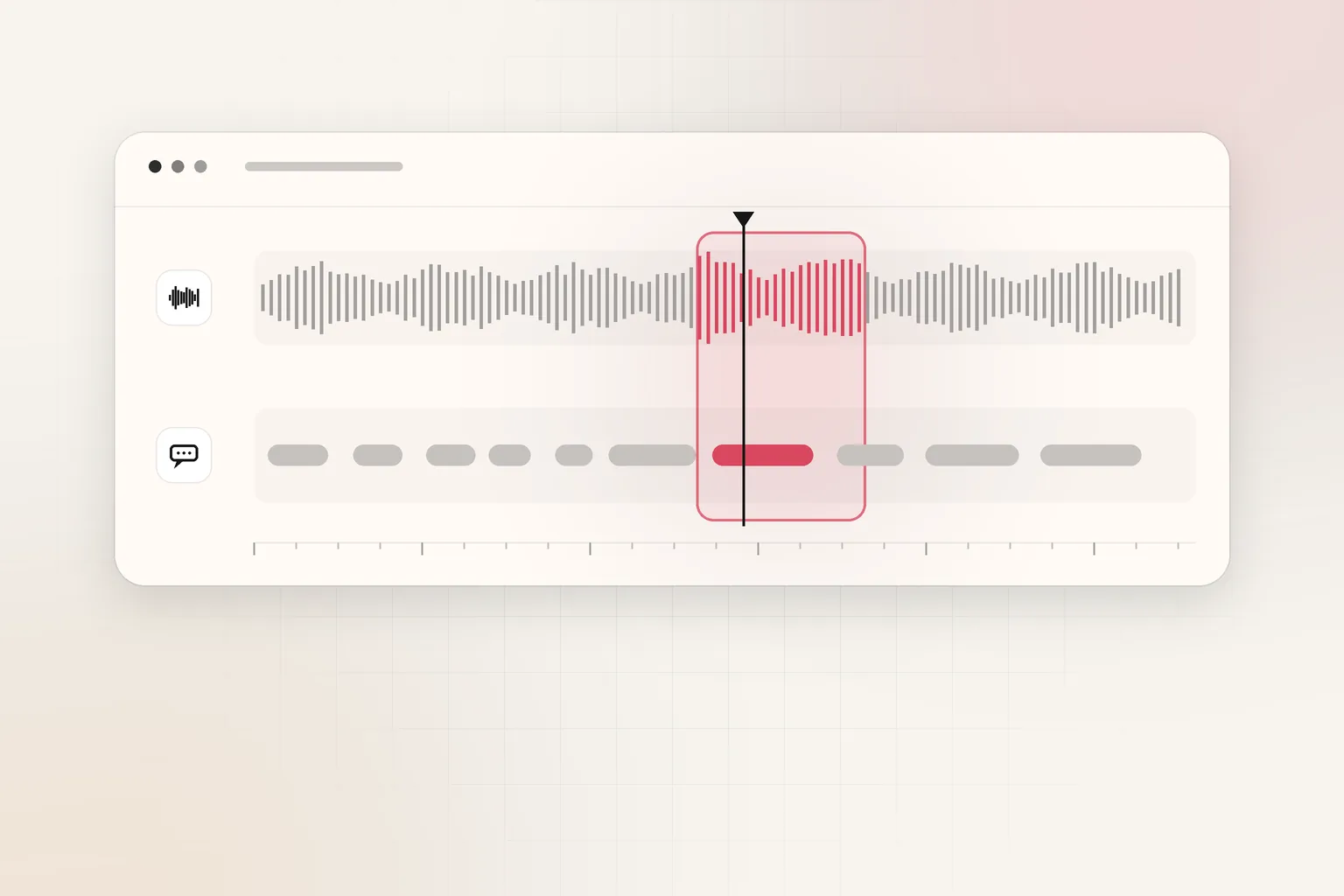
During indexing, models sample frames, audio and text overlays to build:
| Signal | What it captures | Example query it enables |
|---|---|---|
| Visual scenes and objects | People, vehicles, PPE, hazards | "Hard hat missing near crane" |
| Speech | Spoken words with timecodes | "Mention of gas smell" |
| On-screen text (OCR) | Labels, plates, signage | "Container ID visible" |
| Motion and audio peaks | Change detection | Narrowing before semantic search |
Strong multimodal video search combines these tracks on one timeline, as described in multimodal video analysis for operational review. Weak tools search only thumbnails or only transcripts, so ask vendors which signals they persist.
Step 3: Embed and store for retrieval
Modern systems map clips or segments to embeddings—numeric representations of meaning—so natural-language questions match visually similar moments even when wording differs. The mechanics are covered in how video embeddings work for enterprise search.
Retrieval may blend keyword filters, vector similarity, and reranking before it shows you a short list of time ranges with thumbnails.
Step 4: Query, verify, export
You issue a natural-language or structured query, open each hit at the cited timecode, and verify before you quote it in a report. AI search is triage, not a courtroom conclusion. Use the incident report template once you lock the supporting clips.
How is AI video search different from VMS playback?
A VMS is the system of record for live view, recording rules and retention. AI video search is an intelligence layer on files the VMS already stored (or on central archive copies).
| Capability | Typical VMS | AI video search layer |
|---|---|---|
| Primary keys | Channel, date, time | Content, speech, text, embeddings |
| Camera lock-in | Often same vendor | Any exported MP4/MKV |
| Live monitoring | Core strength | Usually post-capture |
| Best queries | "Camera 4, 02:14" | "Red forklift near pedestrian" |
Our video intelligence platforms vs traditional VMS guide walks through when each layer leads. Many teams keep the VMS for operations and add search on nightly exports or incident pulls—the pattern beyond manual video review describes for scaling.
Consumer Ring Smart Video Search shows the same user expectation at home: describe an event, get clips. Enterprise buyers need that on their retention, their access controls, and APIs that fit SOC and legal—not only a phone app subscription.
Forensic practice still treats native recording integrity as the baseline. U.S. Department of Justice materials on forensic video analysis describe workflows where analysts preserve original exports and document transformations (NIJ forensic video analysis overview). AI search accelerates triage on working copies; it does not replace chain of custody on the master file.
What should you ask before buying AI video search?
Ask these questions on every pilot, regardless of vendor:
- Which signals are stored? Vision-only search misses spoken evidence; transcript-only search misses visuals.
- Where does processing run? Cloud indexing vs on-prem affects contracts and air-gapped sites.
- How are hits cited? Timecodes and preview frames must map back to your master file.
- What are false-positive costs? Measure analyst minutes per true incident found.
- Does it integrate with your VMS? Ceptory has no published VMS integrations today; plan on exports or API URLs.
For API-centric evaluations, compare cloud minute pricing in what is a video intelligence API and alternatives across Google, AWS, Azure and Twelve Labs. Cloud APIs excel at batch analysis; platforms like Ceptory emphasize repeat search and chat on a workspace archive.
Google's Video Intelligence API documentation illustrates the cloud pattern: you send a file, receive label, shot, speech and text detections, and build your own search UI on top. Managed platforms bundle indexing, query and workspace permissions so investigators do not stitch detectors to storage themselves. Pick cloud APIs when you already run a data lake pipeline; pick a workspace product when security analysts need answers without writing ETL jobs.
What are realistic limits of AI video search today?
AI video search today is strong at narrowing long files and weak at proving intent without human review.
Low light, heavy compression and occluded faces still reduce recall. Search may miss a person mostly off-frame even when they are obvious to a human scrubbing at 2x speed. Audio search needs intelligible speech; warehouse noise can garble transcripts. On-screen text OCR fails on glare, blur and non-Latin scripts unless you test your cameras.
False positives remain common for vague queries. "Person near truck" on a busy loading dock can return dozens of hits. Teams should require two reviewers on consequential matches, the same way forensic labs treat automated facial recognition as a lead generator, not a identification.
Latency splits into index time (minutes to hours per archive) and query time (seconds). Planning a Monday-morning investigation requires indexing exports overnight, not uploading at 8 a.m. and expecting instant answers.
Finally, policy limits matter as much as models. Works councils, union agreements, DPDP or GDPR regimes and sector rules may restrict who may run semantic search on biometric-rich footage. Search tooling does not grant legal authority; it only makes authorized review faster.
How do you roll out AI video search in four steps?
Roll out in one site, one use case, with measured review time before you scale.
- Pick a painful search — choose an investigation type that currently takes more than two analyst hours (tailgate incidents, PPE disputes, drone damage triage).
- Define ingest — document export format, resolution and whether audio is included; estimate storage with the CCTV storage calculator.
- Index a bounded window — one week or one incident package; Ceptory includes 60 free indexed minutes per workspace on pricing.
- Score the pilot — track queries, true positives, and minutes saved versus the video review cost calculator; only then widen cameras or retention.
Security and compliance teams should align retention with how long to keep CCTV footage before indexing copies that may include faces and plates. Where redaction is required, privacy tooling on sites like BGBlur complements search on already redacted exports.
Where does Ceptory fit?
Ceptory is a video intelligence platform that indexes recorded video, lets teams search in natural language across scenes, speech and on-screen text, and run multimodal analysis from the dashboard or REST API (search feature, analyze feature).
Honest limits:
- No SDKs — integrate through HTTPS and API keys only.
- No published accuracy figures — run your own pilot; we quote none.
- Recorded video focus — live alerting uses separate camera workflows and Ceptory Desktop, not the same path as archive search.
- No VMS replacement — export or link files, then index.
Pricing today: $0.042/minute indexed + $0.0015/minute infrastructure, $4 per 1,000 searches, 60 minutes included free. Enterprise private cloud or on-prem is quoted separately.
If your team already narrows by time and camera manually, pair this guide with search CCTV footage for a person or vehicle, search archives by speech and on-screen text, and video analytics software categories for India buyers.
AI video search is not magic; it is indexing plus retrieval on footage you already record. When the question is content—not channel number—that is when the layer pays for itself. Start with one incident folder, index it, and ask the question you would have assigned to a weekend of scrubbing on Ceptory.
Frequently asked questions
What is AI video search?
AI video search is software that analyzes recorded video and returns matching moments when you describe or filter what happened. Strong systems combine visual scene understanding, speech transcription and on-screen text recognition, not only motion or object classes.
Can AI search videos without watching every minute?
Yes, after indexing. The system precomputes searchable signals across the file, so queries scan metadata and embeddings instead of playing footage at 1x speed. You still verify hits by watching the cited clip.
How is AI video search different from a VMS search?
A VMS usually plays video by camera, date and time, sometimes with motion or basic object filters tied to that vendor's cameras. AI video search answers content questions—colors, actions, spoken phrases, signs—across exported files from any recorder.
What is smart video search on Ring doorbells?
Ring Smart Video Search is a consumer feature that searches a subscriber's cloud clips with AI. Enterprise teams need the same idea on their own NVR exports, longer retention, audit logs and API access—see our VMS versus video intelligence comparison.
Does AI video search work on live cameras?
Most enterprise products index recorded files or buffered segments you upload. Real-time alert workflows are separate. Ceptory indexes recorded video via upload or URL through its API; live camera rules run through Ceptory Desktop and dashboard workflows.
How much does AI video search cost?
Ceptory charges $0.042 per minute indexed plus $0.0015 per minute infrastructure and $4 per 1,000 search queries, with 60 free indexed minutes per workspace. Cloud APIs such as Google Video Intelligence bill per minute of analyzed video separately.
Ceptory
Search your own footage in plain language. The free tier indexes 60 minutes of video.
Related reading