Security & Surveillance
Use Your Router as the Camera Bridge: RTSP to Cloud on OpenWrt
Relay a Tapo or any RTSP camera to Ceptory from an OpenWrt or GL.iNet router with ffmpeg, so no computer or Raspberry Pi has to stay on.
TL;DR
A router that runs OpenWrt, including most GL.iNet models, can relay an RTSP camera to the cloud by itself. Install ffmpeg, test the relay with the camera's stream key, then add a procd service so it starts on boot. It copies video without re-encoding, so CPU use stays low.
If your router runs OpenWrt, it can relay your cameras to the cloud by itself. You don't need a computer or a Raspberry Pi to stay on. Install ffmpeg on the router, point it at the camera's local RTSP stream, and send that stream to Ceptory with the camera's stream key. A small service script starts the relay on boot and restarts it when the camera or the internet drops. This guide shows each step with a TP-Link Tapo camera. Any camera or recorder with an RTSP stream works the same way.
For why a normal Wi-Fi router can't do this, read can your Wi-Fi router stream a Tapo camera to the cloud? first.
How does a router relay work?
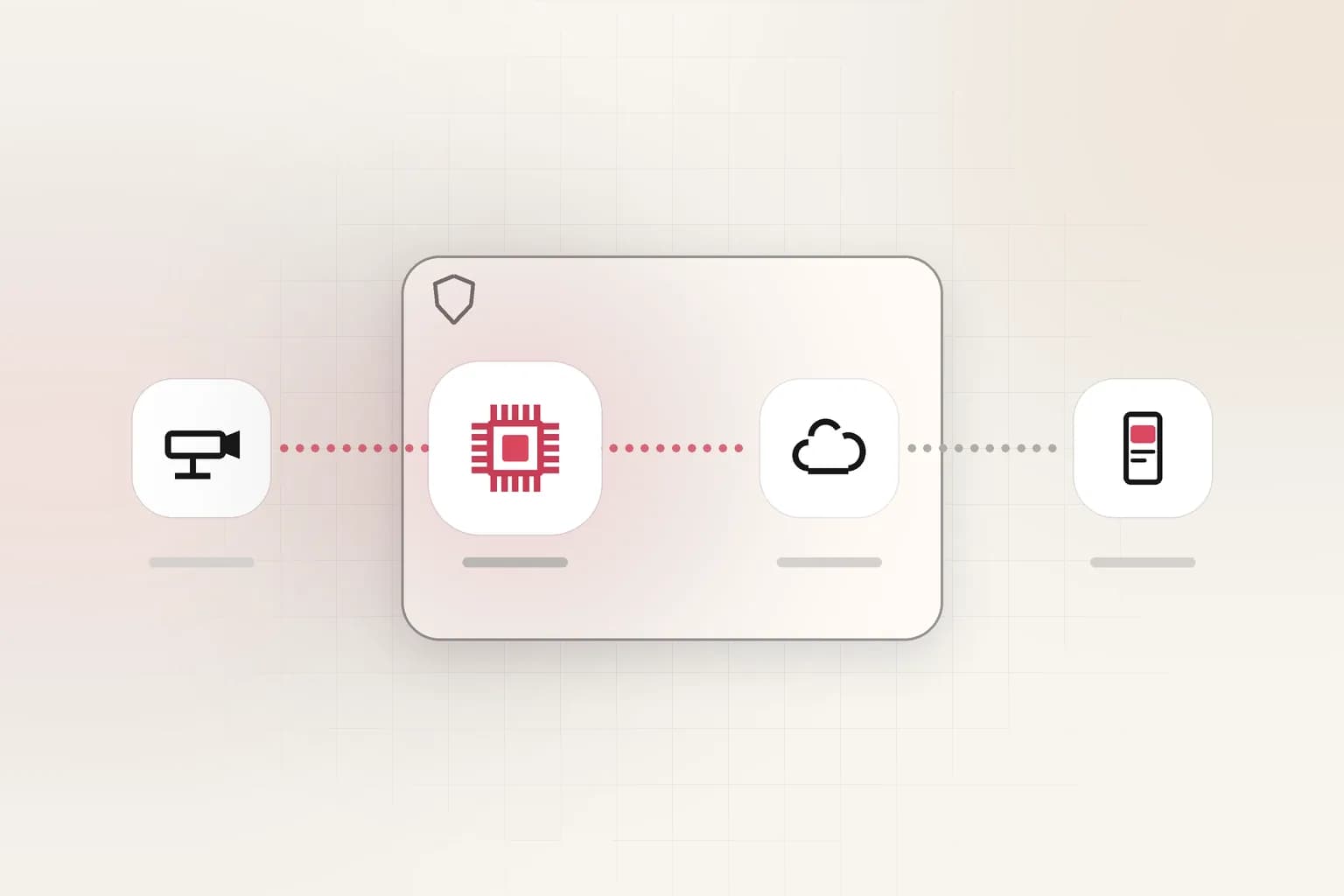
The relay reads the camera's RTSP stream on your network and sends a copy to Ceptory's ingest server:
Tapo camera ──RTSP (your network)──▶ router running ffmpeg ──RTSP + stream key──▶ Ceptory
                                                                                  │
                                                       frame every few seconds ◀──┘
                                                       → camera rules → alerts
ffmpeg uses -c copy, so it copies the compressed video without decoding it. That is why a router CPU can handle it. Ceptory takes a frame from the stream every few seconds and runs that camera's rules on it, exactly as it does for a Raspberry Pi or the desktop app.
The router only connects out. You don't open or forward any ports, and the camera stays invisible from the internet.
Which routers can run the relay?
Any router that runs OpenWrt or OpenWrt-based firmware and has room for ffmpeg can run the relay. Check these four things:
| Requirement | Why | How to check |
|---|---|---|
| OpenWrt or OpenWrt-based firmware | You need a package manager and SSH | Most GL.iNet routers ship with it; many others can be flashed |
| Free storage for ffmpeg | ffmpeg and its libraries need tens of megabytes | df -h /overlay |
| Spare memory | Each relay is one ffmpeg process | free; we suggest 256 MB of RAM or more |
| Root SSH access | To install packages and add the service | ssh root@ROUTER-IP |
Routers with only 8 or 16 MB of flash usually can't fit ffmpeg. A USB drive used as extra storage (extroot) can help on models with a USB port. Routers from internet providers usually lock the firmware and can't install anything.
What do you need before you start?
- An RTSP camera on the same network. For Tapo, make a camera account first: Tapo app → camera → Settings → Advanced Settings → Camera Account (TP-Link guide).
- A fixed IP address for the camera. Reserve one in the router's DHCP settings, so the address in your script doesn't change after a reboot.
- A Ceptory camera with a stream key. In Ceptory, open the camera's settings, go to Stream from a device, and choose Stream from a device instead. Copy the stream key; it is shown only once. On the OBS, drone, encoder tab, copy the RTSP relay command. It contains the ingest address and your key.
Step 1: How do you install ffmpeg on the router?
Connect to the router over SSH:
ssh [email protected]
Use your router's address. GL.iNet routers use 192.168.8.1 by default, and plain OpenWrt uses 192.168.1.1.
On OpenWrt 24.10 and older, and on GL.iNet firmware, install ffmpeg with opkg:
opkg update
opkg install ffmpeg
On newer OpenWrt releases that use the apk package manager:
apk update
apk add ffmpeg
Check that it runs:
ffmpeg -hide_banner -version | head -n 1
If you prefer a web page to the command line, you can install packages from LuCI, OpenWrt's web interface, under System → Software. On GL.iNet routers, open the admin panel, go to the advanced settings and follow the link to LuCI. You still need SSH for the next steps, because the relay script is a file on the router.
Step 2: What is the camera's stream address?
A Tapo camera has two streams:
| Stream | Address | Use it for |
|---|---|---|
| High quality | rtsp://USER:PASS@CAMERA-IP:554/stream1 | Fine detail, if your upload can carry it |
| Standard quality | rtsp://USER:PASS@CAMERA-IP:554/stream2 | The relay. Much less bandwidth, enough for AI rules |
USER and PASS are the camera account from the Tapo app. If the password contains @, : or /, write them as %40, %3A and %2F.
Other brands use other paths. Our camera setup guides list the RTSP address for Hikvision, Dahua, CP Plus, Reolink and more. For an NVR or DVR, each channel has its own address: see the DVR and NVR guide. If you don't know the brand's format, the ONVIF guide shows how to discover it.
Step 3: How do you test the relay?
Run the relay once in the foreground. Replace the camera address, and paste the Ceptory address with your key from the camera's settings:
ffmpeg -nostdin -hide_banner -loglevel error \
  -rtsp_transport tcp -timeout 15000000 \
  -i "rtsp://USER:[email protected]:554/stream2" \
  -map 0:v:0 -c copy -f rtsp -rtsp_transport tcp \
  "rtsp://INGEST-HOST:PORT/live/csk_live_YOUR_KEY"
What each part does:
-rtsp_transport tcpuses TCP on both sides. It is more reliable over Wi-Fi, and Ceptory's ingest accepts RTSP over TCP only.-timeout 15000000gives up after 15 seconds of silence, so a stuck connection doesn't hang forever.-map 0:v:0sends only the video. Ceptory doesn't use the audio.-c copycopies the video without re-encoding it.
With -loglevel error, a working relay prints nothing. Leave it running for a minute, then open the camera in Ceptory. It should show as online, its last-seen time should update, and a new snapshot follows shortly. Press Ctrl+C to stop the test.
If it fails, check the error:
| Error | What to check |
|---|---|
401 Unauthorized on the camera address | The camera account username or password |
Connection refused or a timeout on the camera address | The camera's IP address, and that RTSP is on |
| An error on the Ceptory address | The stream key, and that the camera is set to stream and isn't paused |
Step 4: How do you start the relay on boot?
OpenWrt starts services with procd. Create /etc/init.d/ceptory-relay:
cat > /etc/init.d/ceptory-relay <<'EOF'
#!/bin/sh /etc/rc.common
# Relays a camera's RTSP stream to Ceptory. Starts on boot, restarts if it stops.
START=99
USE_PROCD=1

CAMERA_URL="rtsp://USER:[email protected]:554/stream2"
CEPTORY_URL="rtsp://INGEST-HOST:PORT/live/csk_live_YOUR_KEY"

start_service() {
    procd_open_instance front-door
    procd_set_param command /usr/bin/ffmpeg -nostdin -hide_banner -loglevel error \
        -rtsp_transport tcp -timeout 15000000 -i "$CAMERA_URL" \
        -map 0:v:0 -c copy -f rtsp -rtsp_transport tcp "$CEPTORY_URL"
    procd_set_param respawn 3600 10 0
    procd_set_param stdout 1
    procd_set_param stderr 1
    procd_close_instance
}
EOF
chmod 700 /etc/init.d/ceptory-relay
Then turn it on and start it:
/etc/init.d/ceptory-relay enable
/etc/init.d/ceptory-relay start
respawn 3600 10 0 tells procd to wait 10 seconds and start ffmpeg again whenever it stops, with no limit on retries. So the relay comes back by itself after a camera reboot, a Wi-Fi drop or an internet outage. The script must not send ffmpeg to the background, because procd needs to watch the process. The file holds the camera password and the stream key, so chmod 700 keeps other users from reading it.
To read the relay's messages:
logread -e ffmpeg
Step 5: How do you add more cameras?
Each camera needs its own stream key, from its own settings in Ceptory. Add one instance block per camera inside start_service, each with its own name:
    procd_open_instance garage
    procd_set_param command /usr/bin/ffmpeg -nostdin -hide_banner -loglevel error \
        -rtsp_transport tcp -timeout 15000000 -i "rtsp://USER:[email protected]:554/stream2" \
        -map 0:v:0 -c copy -f rtsp -rtsp_transport tcp "rtsp://INGEST-HOST:PORT/live/csk_live_GARAGE_KEY"
    procd_set_param respawn 3600 10 0
    procd_close_instance
Then restart the service with /etc/init.d/ceptory-relay restart. Add cameras one at a time, and check free memory with free after each one.
How does a router relay compare with a Raspberry Pi?
Both work. They trade convenience against bandwidth and encryption:
| Router relay (this guide) | Raspberry Pi stream script | |
|---|---|---|
| Extra hardware | None, if the router runs OpenWrt | A Pi or any Linux box |
| Setup | SSH, install ffmpeg, write a script | One command shown in Ceptory |
| What it sends | The full video stream, all the time | One frame every few seconds |
| Upload bandwidth | Higher | Much lower |
| Encryption to Ceptory | Plain RTSP today | HTTPS |
| Starts on boot | procd script | systemd service, installed for you |
If upload bandwidth is tight, or you need encryption in transit, the Pi script is the better fit. If you want no extra box and your upload has room, the router relay is the cleaner setup.
What should you watch out for?
- Upload bandwidth. The relay sends the full stream all the time, not only the frames Ceptory looks at. Use the sub stream (
stream2on Tapo) and check that your upload can carry every camera. The CCTV bandwidth calculator and our post on how much bandwidth CCTV cameras need help with the numbers. - Encryption. The RTSP relay to Ceptory isn't encrypted today. The stream key can only send footage for its one camera. If it leaks, make a new key in the camera's settings, and the old one stops at once.
- Firmware upgrades. A full OpenWrt upgrade can remove installed packages. After an upgrade, check that ffmpeg is still installed. Add
/etc/init.d/ceptory-relayto/etc/sysupgrade.confto keep the script across upgrades. - Camera viewer limits. The relay counts as one RTSP viewer. Tapo cameras limit how many local viewers can watch at once (TP-Link: common questions).
- Paused cameras. If you pause the camera in Ceptory, the ingest server refuses the stream and procd keeps retrying every 10 seconds. That is harmless. Run
/etc/init.d/ceptory-relay stopif you want the router to stay quiet.
What happens after the frames arrive?

Each camera in Ceptory runs one workflow, such as intrusion, loitering, a person down or illegal parking. When a frame matches, Ceptory raises an alert with a picture, in the dashboard and on your phone. Because a relayed camera uses the same frame path as every other camera, you set its rules once and they don't change if you later move the relay to a Pi. See live camera monitoring for the rules, how it works for the full path, and the guide to monitoring CCTV footage with AI to turn a day of alerts into a written record.
Bottom line
A router that runs OpenWrt can replace the Raspberry Pi or the always-on computer. ffmpeg relays each camera's RTSP stream to Ceptory without re-encoding it, and a small procd script keeps it running through reboots and outages. Use the sub stream to save bandwidth, keep the script private because it holds the camera password and the stream key, and make a new key if one ever leaks.
Frequently asked questions
Can an OpenWrt router stream an IP camera to the cloud?
Yes. Install ffmpeg on the router and run a relay that reads the camera's RTSP stream on your network and sends it to the cloud service. A procd init script starts it on boot and restarts it if it stops.
Which routers can do this?
Routers that run OpenWrt or OpenWrt-based firmware, such as most GL.iNet models, with enough free storage for ffmpeg and its libraries. Routers with 8 or 16 MB of flash usually can't fit it. Routers from internet providers usually can't install software at all.
Does relaying a camera use a lot of router CPU?
No. The relay copies the compressed video as it is (ffmpeg -c copy), with no decoding or re-encoding. The real cost is upload bandwidth, so send the camera's sub stream, such as stream2 on a Tapo camera.
Is the stream encrypted on the way to Ceptory?
Not on the RTSP relay; it is plain RTSP today. The stream key can only send footage for its one camera, and you can replace it in the camera's settings. For encryption in transit, use Ceptory's stream script on a Raspberry Pi or Linux box, which sends frames over HTTPS.
How many cameras can one router relay?
Each camera needs its own relay process and its own stream key. A few sub streams are usually fine on a modern router. Watch free memory and upload bandwidth as you add cameras.
Ceptory
Search your own footage in plain language. The free tier indexes 60 minutes of video.
Related reading
Keep reading
Security & Surveillance · 8 min read
Can Your Wi-Fi Router Stream a Tapo Camera to the Cloud?
Read article
Security & Surveillance · 8 min read
New Castle County DFR: 89.6% First on Scene, No Retention Days
Read article
Security & Surveillance · 8 min read